
How it is calculated
Player Load = Σ √(Δax² + Δay² + Δaz²) ÷ 100
- Δax, Δay and Δaz are the changes in acceleration between one sample and the next on the X, Y and Z axes.
- ÷ 100 is the fixed scaling constant from the published method. It does not change with the pod's sampling rate.
For every pair of consecutive samples, the app combines the change in acceleration on the three axes into one magnitude, adds the results up over the session, and divides the total by 100.
Player Load per minute divides it by session minutes. Work ratio divides total distance by Player Load.
How to read it
Player Load captures work that distance alone misses, such as contacts and changes of direction. Use it to compare the same player across sessions and to follow load over weeks.
A higher work ratio means more of the session was sustained running. A lower one means more of the load came from contacts and changes of direction.
Keep in mind
Player Load depends on the hardware: sensors, sampling rate, filtering and where the pod sits all differ. Compare it within Metric Athlete, not with other GPS systems.
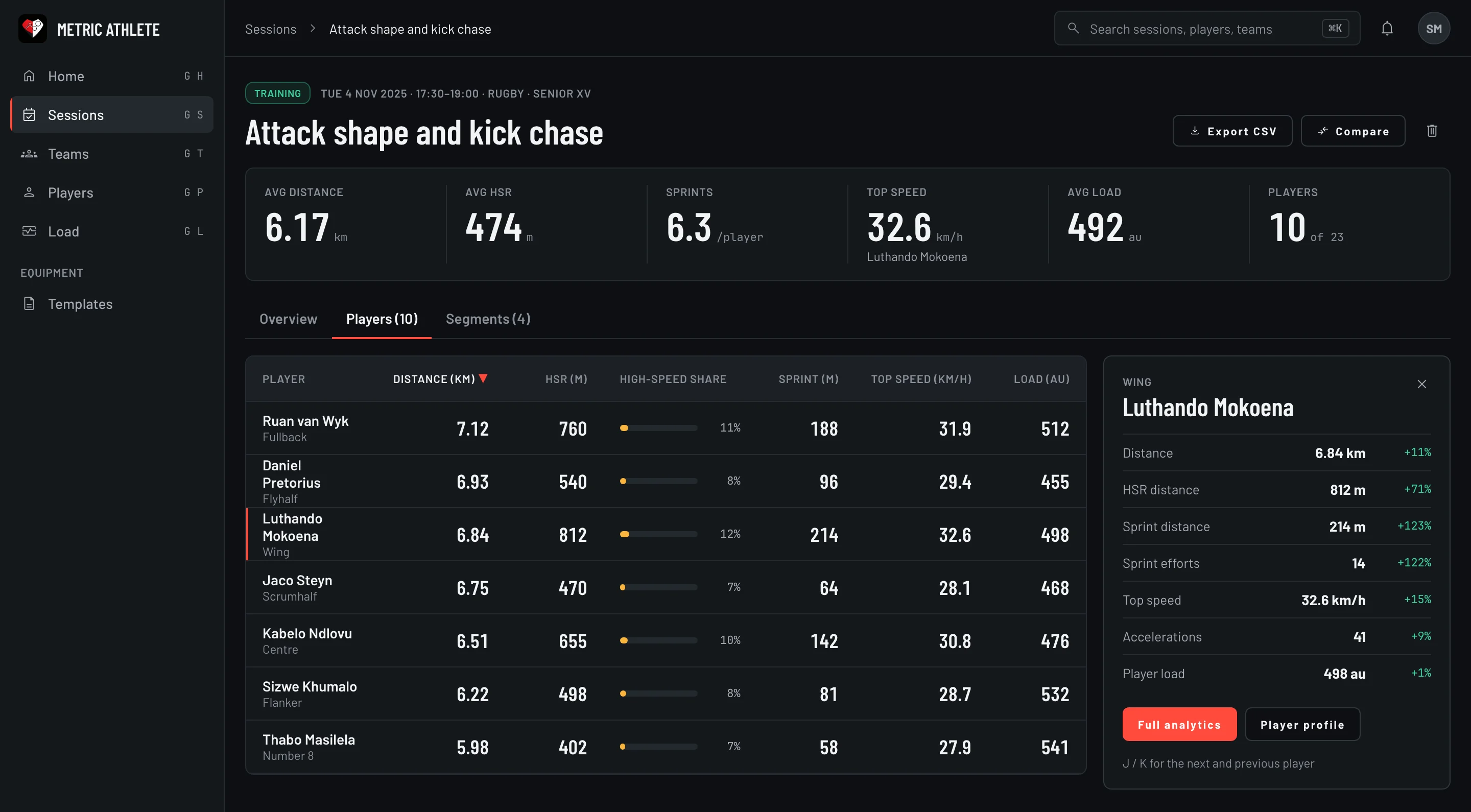
Where you see it in the app
Questions
Can I compare Player Load between GPS systems?
No. Player Load is in arbitrary units and depends on the hardware. Compare it within Metric Athlete, player against player and session against session.
What if the pod recorded no accelerometer data?
The app shows Player Load as not measured. It does not show zero.
References
- Boyd LJ, Ball K, Aughey RJ (2011). The reliability of MinimaxX accelerometers for measuring physical activity in Australian football. International Journal of Sports Physiology and Performance, 6(3), 311–321.